A Singapore IP in Mainland China, No VPS Required: eSIM.now's 5G China eSIM for Developers
English · 中文版
A Singapore IP in Mainland China, No VPS Required
If you write code in mainland China, you know the routine. The AI coding assistant keeps spinning. A model API returns a region error. git push, docker pull and npm install crawl along or fail halfway through. So you rent a server overseas, set up a proxy, configure a client on every device, and hope the server's IP doesn't get blocked or flagged next week.
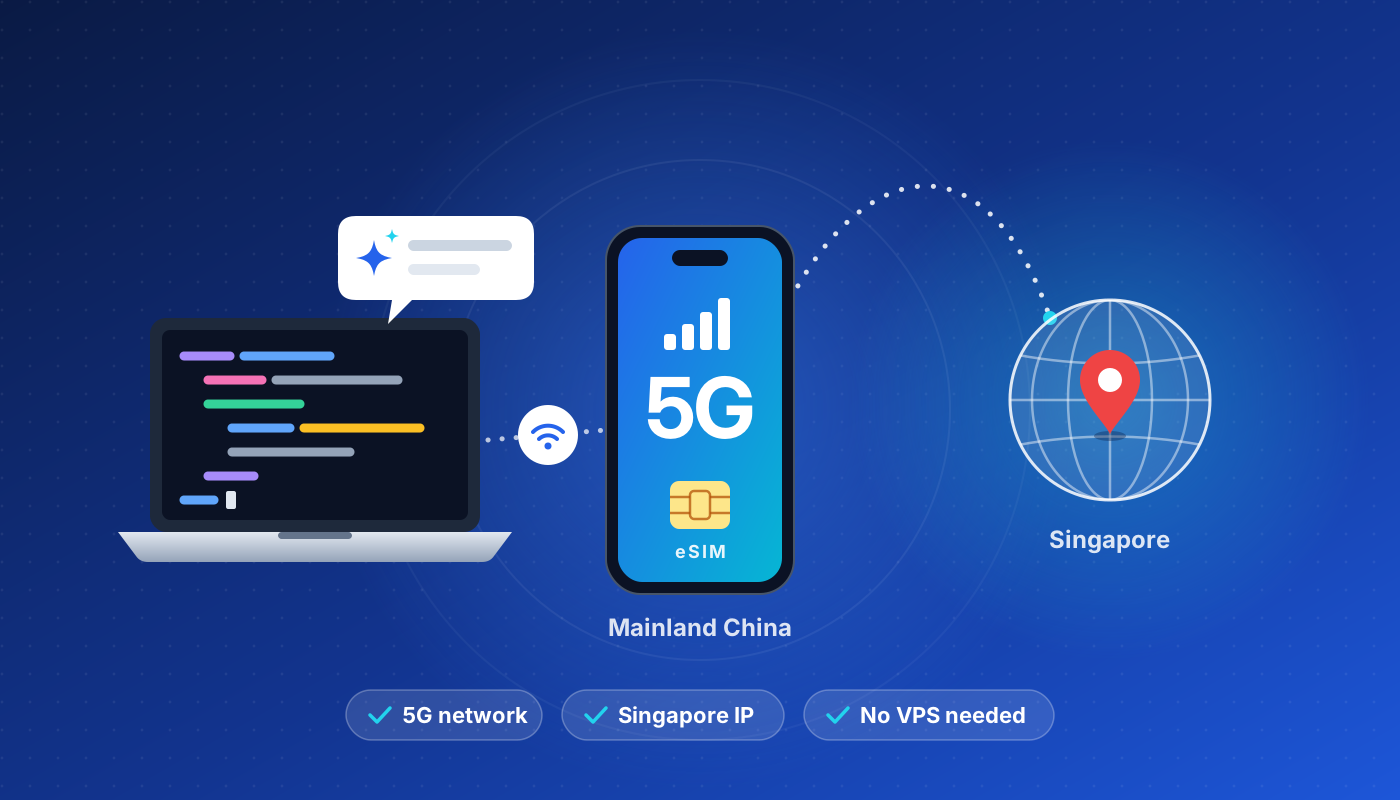
There's a simpler way. The China eSIM from eSIM.now with a Singapore IP runs on local 5G networks in mainland China, but reaches the internet from Singapore, on an IP from Singtel, Singapore's largest carrier. Install it once, and every app on your phone, plus your laptop over hotspot, goes online as if you were in Singapore.
What you get
- A Singtel IP from Singapore. Websites, AI tools and APIs see an ordinary Singapore mobile connection.
- Local networks in mainland China. The eSIM connects to China Unicom 5G and China Telecom 4G. Two networks means better coverage, in the city and beyond.
- No VPS, no VPN to build. No server to rent, configure or maintain. No client apps, config files or routing rules.
- Hotspot included. Share the connection with your laptop and work from your IDE, terminal and browser.
- No app, no account. Pay, scan the QR code, and you're online. Plans start at $1.69.
How it works
With a roaming eSIM, your data doesn't exit to the internet locally. It travels back to the home network in Singapore and goes out from there. That's why websites see a Singapore IP address, and why there's nothing to set up on your side: this routing is simply how international roaming works.
Your phone still uses China Unicom or China Telecom towers for the radio signal. You get local coverage and 5G speeds where available, while your public IP belongs to Singtel.
Why it beats a self-built VPS proxy
| Self-built VPS proxy | eSIM.now China eSIM (Singapore IP) | |
|---|---|---|
| Setup | Rent a server, install proxy software, configure a client on each device | Scan a QR code, about one minute |
| Maintenance | Updates, monitoring, migrating servers when an IP gets blocked | None |
| IP type | Datacenter IP | Singtel mobile carrier IP |
| IP reputation | Datacenter ranges are often flagged by risk-control systems | Shared by everyday subscribers, treated as normal user traffic |
| Devices | Client app on every device | Phone directly; laptop and tablet via hotspot |
| Cost | Typically $5–20 a month, plus your time | From $1.69; 10 GB for 30 days is $7.99 |
The IP quality problem
This is where most VPS setups fall down. Cloud server IPs sit in datacenter ranges that are easy to identify, and many were used for scraping, spam or abuse before they ever reached you. AI platforms, Google and other services often respond to them with CAPTCHAs, extra verification, errors or outright blocks. Accounts that always log in from datacenter IPs are also more likely to be flagged.
Mobile carrier IPs are different. Singtel's mobile IPs are shared by large numbers of ordinary subscribers, so services see them as normal consumer traffic. That means fewer CAPTCHAs, fewer verification loops and fewer "unusual activity" warnings, and no more buying server after server in search of a clean IP.
Built for how developers actually work
- AI tools without the timeouts. Use AI coding assistants, AI chat tools and model APIs over a stable Singapore connection.
- Your whole toolchain. GitHub, Google Search, Stack Overflow, Docker Hub, npm, PyPI and Hugging Face, all reached from Singapore.
- One connection for your laptop too. Turn on Personal Hotspot and your IDE, terminal, package managers and browser all share the same Singapore connection. No proxy settings, no environment variables, no per-app rules.
- 5G headroom. On China Unicom's 5G network there's room for dependency installs, Docker image pulls and video calls.
- Works wherever you are. Home, office, co-working space or café: anywhere with mobile coverage.
Plans and prices
Singapore IP plans for mainland China:
| Data | Validity | Price |
|---|---|---|
| 1 GB | 7 days | $1.69 |
| 1 GB | 30 days | $1.99 |
| 3 GB | 30 days | $2.89 |
| 5 GB | 30 days | $5.99 |
| 10 GB | 30 days | $7.99 |
| 20 GB | 30 days | $13.99 |
| 50 GB | 30 days | $28.99 |
| 100 GB | 60 days | $55.99 |
Prices in USD as of October 2026. See the China eSIM page for every current plan, including Hong Kong IP options.
Which plan should I pick? AI chat, code completion and API calls are mostly text, so a few gigabytes go a long way. If you regularly pull Docker images, download models or join video calls, choose 20 GB or more.
Pay with Alipay, UnionPay, Visa, Mastercard, American Express, JCB, Apple Pay, Google Pay or PayPal. First-time customers get 10% off with code NOW10.
Get started in three steps
1. Check your phone. Your phone needs to support eSIM and be carrier-unlocked. Note that many phones sold in mainland China don't support eSIM, while Hong Kong and international versions usually do. Dial *#06#: if an EID appears, your phone supports eSIM.
2. Buy and scan. Pick a Singapore IP plan on the China eSIM page and pay. The QR code appears on screen and in your inbox within seconds. On iPhone, go to Settings → Cellular → Add eSIM and scan it. Our installation guide covers iPhone and Android step by step.
3. Switch on data. Set the eSIM as your line for mobile data and turn on Data Roaming for it. The plan starts the first time it connects to a network in mainland China. If you're already there, that's right after you install it.
Good to know
- Data only. There's no phone number or SMS. Keep your Chinese SIM in the phone for calls, SMS verification codes and anything tied to your number.
- Chinese apps. Because all traffic exits in Singapore, some Chinese apps and sites may load a little slower than on local data, or treat you as an overseas user. Switching mobile data back to your Chinese SIM takes a second in Settings.
- One phone per eSIM. Once installed, the eSIM stays on that phone and can't be moved to another device.
- Buy ahead if you like. Unused plans can be activated any time within 180 days of purchase.
FAQ
Do I also need a VPN or proxy app? No. The Singapore IP comes from the way the roaming connection is routed. There's nothing extra to install or configure.
Which networks does it use in mainland China? China Unicom (5G) and China Telecom (4G).
Can I use it on my laptop? Yes. Hotspot sharing is included on every plan, so your laptop, tablet or a second phone can share the connection.
Will my Chinese number keep working? Yes. The eSIM runs alongside your physical SIM, so calls and texts still reach you as usual.
Is it a subscription? No. Each plan is a one-time purchase that lasts for its validity period, counted from the first connection. Buy another plan whenever you need one.
What if something goes wrong? If a plan can't be issued, you're refunded automatically. For anything else, email support@esim.now or visit the Help Center.
Skip the VPS. Get a Singapore IP in a minute.
No server to rent, no proxy to maintain, no datacenter IP getting flagged. Just a Singtel IP over 5G, set up with one QR code.
👉 Get the China eSIM with Singapore IP and use code NOW10 for 10% off your first order.
Please use the service in line with local regulations and the terms of the websites and services you access.
中文版
在中国大陆用上新加坡 IP,不再需要 VPS
在中国大陆写代码的开发者,大概都经历过这些:AI 编程助手一直转圈,模型 API 返回地区限制错误,git push、docker pull、npm install 慢得出奇,或者跑到一半就失败。于是只好买一台海外服务器,自己搭代理,在每台设备上配置客户端,然后祈祷服务器 IP 下周别被封、别被风控。
其实有更简单的办法。eSIM.now 的中国 eSIM 新加坡 IP 套餐在大陆使用本地 5G 网络,出口却在新加坡,使用的是新加坡第一大运营商 Singtel(新加坡电信) 的 IP。只需安装一次,手机上的所有 App,以及通过热点连接的电脑,都会以新加坡用户的身份上网。
套餐亮点
- 新加坡 Singtel 原生 IP:网站、AI 工具和 API 看到的是一条普通的新加坡移动网络连接。
- 大陆本地网络:接入中国联通 5G 和中国电信 4G 双网络,城市内外覆盖都更稳定。
- 不用租 VPS,也不用搭 VPN:没有服务器要买、要配置、要维护,没有客户端、配置文件和分流规则。
- 支持热点共享:电脑、平板通过热点一起用,IDE、终端、浏览器都能直接联网。
- 无需 App,无需注册:付款、扫码,即买即用。套餐低至 $1.69。
原理很简单
使用漫游 eSIM 时,流量不会在当地直接接入互联网,而是回到新加坡运营商的网络,再从新加坡出口。这就是网站看到新加坡 IP 的原因,也是你不需要做任何设置的原因:国际漫游本来就是这样工作的。
手机信号仍然由中国联通或中国电信的基站提供,所以你享受的是本地覆盖和 5G 速度,而对外的公网 IP 属于 Singtel。
对比自建 VPS 代理
| 自建 VPS 代理 | eSIM.now 中国 eSIM(新加坡 IP) | |
|---|---|---|
| 部署 | 租服务器、装代理软件、每台设备配置客户端 | 扫一个二维码,大约一分钟 |
| 维护 | 系统更新、监控,IP 被封后还要迁移服务器 | 无需维护 |
| IP 类型 | 机房 IP | Singtel 移动运营商 IP |
| IP 信誉 | 机房 IP 段经常被风控系统标记 | 大量普通用户共享,被视为正常用户流量 |
| 设备 | 每台设备都要装客户端 | 手机直接用,电脑、平板开热点即可 |
| 成本 | 通常每月 $5–20,还要搭上时间 | 低至 $1.69;10 GB / 30 天仅 $7.99 |
VPS 的 IP 质量问题
大多数自建方案的问题就出在这里。云服务器的 IP 属于机房 IP 段,很容易被识别,而且不少 IP 在你拿到之前,已经被别人用来爬虫、发垃圾邮件甚至滥用过。结果就是 AI 平台、Google 等服务经常对这些 IP 弹验证码、要求额外验证、直接报错甚至封禁;长期从机房 IP 登录的账号,也更容易被风控。
移动运营商 IP 则不同。Singtel 的移动网络 IP 由大量普通用户共享,各类服务会把它当作正常的个人用户流量。验证码更少,验证循环更少,“异常活动”提示也更少,再也不用为了找一个干净的 IP 一台接一台地换服务器。
为开发者的日常工作而设计
- 用 AI 不再超时:通过稳定的新加坡连接使用 AI 编程助手、AI 对话工具和各类模型 API。
- 整套开发工具链:GitHub、Google 搜索、Stack Overflow、Docker Hub、npm、PyPI、Hugging Face,统统从新加坡访问。
- 电脑共用同一条连接:打开个人热点,IDE、终端、包管理器和浏览器都走同一条新加坡线路。不用设置代理,不用配环境变量,也不用写分流规则。
- 5G 带宽充足:在中国联通 5G 网络下,安装依赖、拉取 Docker 镜像、开视频会议都游刃有余。
- 随时随地可用:在家、在公司、在共享办公室或咖啡馆,有手机信号的地方就能用。
套餐与价格
中国大陆可用的新加坡 IP 套餐:
| 流量 | 有效期 | 价格 |
|---|---|---|
| 1 GB | 7 天 | $1.69 |
| 1 GB | 30 天 | $1.99 |
| 3 GB | 30 天 | $2.89 |
| 5 GB | 30 天 | $5.99 |
| 10 GB | 30 天 | $7.99 |
| 20 GB | 30 天 | $13.99 |
| 50 GB | 30 天 | $28.99 |
| 100 GB | 60 天 | $55.99 |
价格以美元计,截至 2026 年 10 月。全部套餐(包括香港 IP 套餐)请查看中国 eSIM 页面。
该选哪个套餐? AI 对话、代码补全和 API 调用基本都是文本,几个 GB 就能用很久。如果经常拉取 Docker 镜像、下载模型或开视频会议,建议选择 20 GB 及以上的套餐。
支持支付宝、银联、Visa、Mastercard、American Express、JCB、Apple Pay、Google Pay 和 PayPal。首次购买输入优惠码 NOW10 立享 9 折。
三步开始使用
1. 确认手机支持 eSIM。 手机需要支持 eSIM 且没有运营商锁。请注意,很多大陆行货手机不支持 eSIM,港版和海外版通常支持。拨打 *#06#,如果能看到 EID,就说明手机支持 eSIM。
2. 购买并扫码。 在中国 eSIM 页面选择新加坡 IP 套餐并付款,二维码几秒钟内就会显示在页面上并发送到你的邮箱。iPhone 用户进入设置 → 蜂窝网络 → 添加 eSIM 扫码即可。iPhone 和 Android 的详细步骤见安装指南。
3. 开启数据。 将 eSIM 设为蜂窝数据线路,并为它打开数据漫游。套餐会在首次连接中国大陆网络时开始计算有效期;如果你已经在大陆,安装完成后就会开始计时。
注意事项
- 纯流量套餐:不含电话号码和短信。请保留国内 SIM 卡,用于通话、接收短信验证码以及其他与手机号绑定的服务。
- 国内 App:由于所有流量都从新加坡出口,部分国内 App 和网站可能加载稍慢,或把你识别为海外用户。需要时在设置里把蜂窝数据切回国内 SIM 卡,一秒钟就能完成。
- 一机一码:eSIM 安装后只能在这台手机上使用,无法转移到其他设备。
- 可以提前购买:未使用的套餐在购买后 180 天内激活即可。
常见问题
还需要另外装 VPN 或代理 App 吗? 不需要。新加坡 IP 来自漫游连接本身的路由方式,不需要安装或配置任何额外软件。
在中国大陆使用哪些网络? 中国联通(5G)和中国电信(4G)。
电脑可以用吗? 可以。所有套餐都支持热点共享,电脑、平板或另一台手机都能共用这条连接。
我的国内手机号还能正常用吗? 可以。eSIM 和实体 SIM 卡同时工作,电话和短信照常接收。
是订阅制吗? 不是。每个套餐都是一次性购买,有效期从首次联网开始计算。用完或到期后,需要时再买一个即可。
遇到问题怎么办? 如果套餐无法开通,系统会自动退款。其他问题可以发邮件至 support@esim.now,或访问帮助中心。
告别 VPS,一分钟拥有新加坡 IP
不用租服务器,不用维护代理,也不用担心机房 IP 被风控。一个二维码,就能获得 5G 网络下的 Singtel 新加坡 IP。
👉 立即购买中国 eSIM 新加坡 IP 套餐,首单使用优惠码 NOW10 享 9 折。
请在遵守当地法律法规以及所访问网站和服务条款的前提下使用本服务。